

FAQ XolidoSign
How to request operations from third parties?
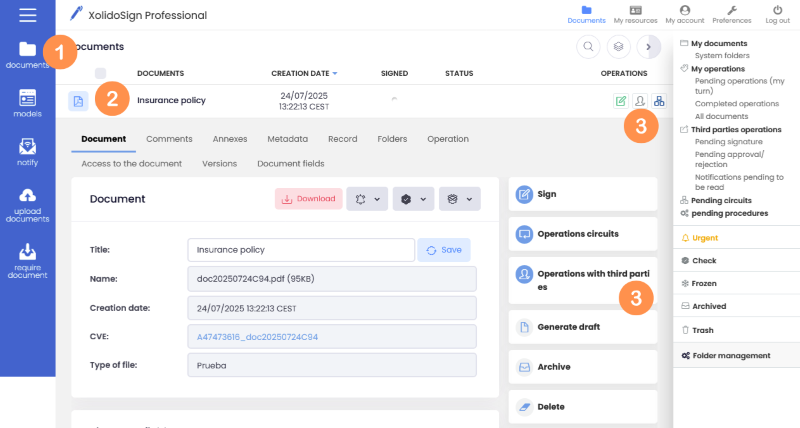
1. Access the list of documents by clicking on the "Documents" buttons.
2. Find the document you want to work on.
3. Click on the "Operations with third parties" button or the "Request operations" icon.
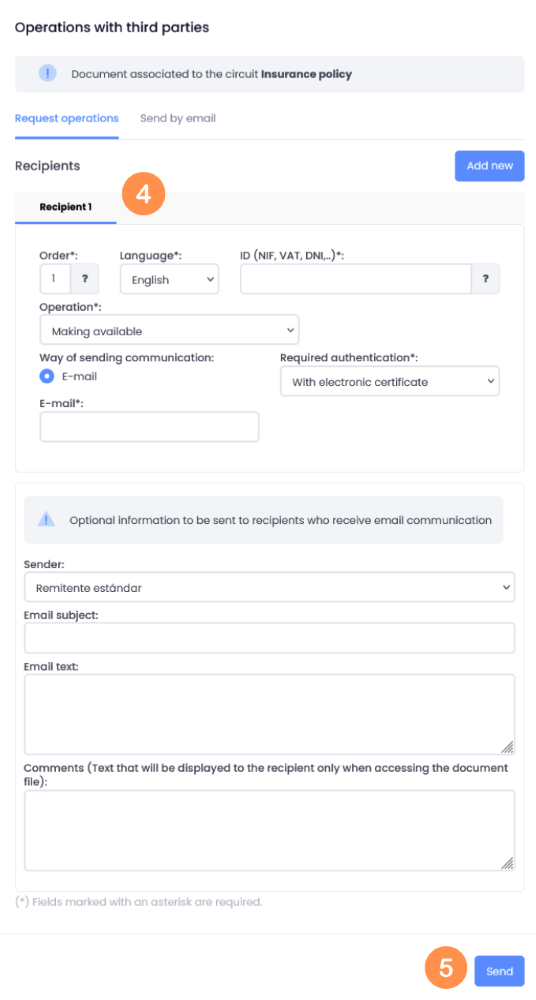
4. A window pops up:
4.1. Fill in the Order, Tax ID and recipient's email fields.
4.2. In the “Operation” drop-down menu, select the operation you wish to request from the recipient.
4.3. Select the “Authentication Type” (how the recipient should access the document to perform the operation you have requested).
You can add as many recipients as you need. To do so, simply click on the “Add new” button and fill in the details as we saw earlier.
4.4. Next, fill in the subject and message fields (optional).
Keep in mind that if there are several recipients, the email we write is common to all of them.
5. Click "Send".
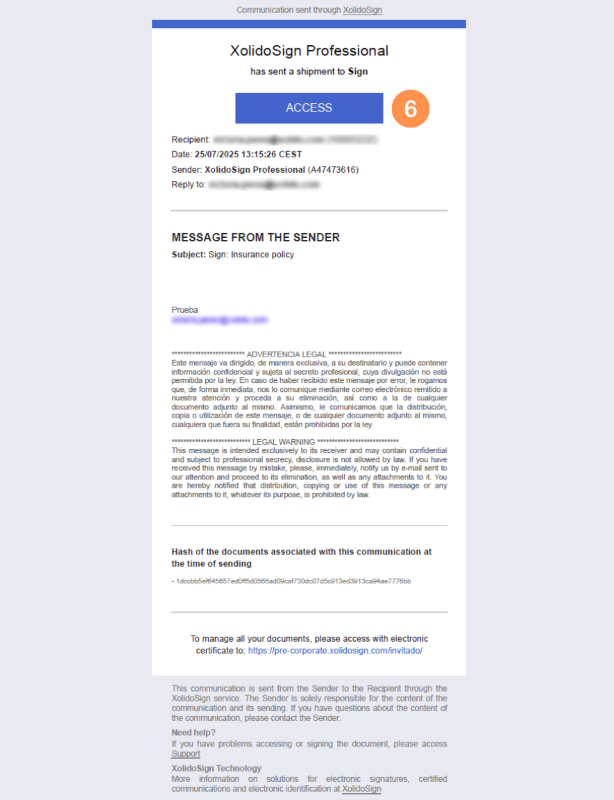
6. Once sent, the recipient of the transaction will receive an email indicating the transaction to be carried out and the message that the sender of the shipment has indicated.
* The recipient of the shipment must click on the "ACCESS" button to perform the requested operation.
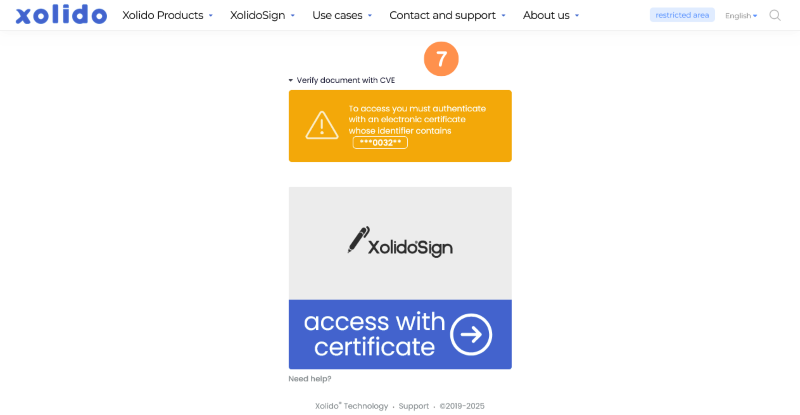
7. Follow the steps indicated to access the document and perform the requested operation.
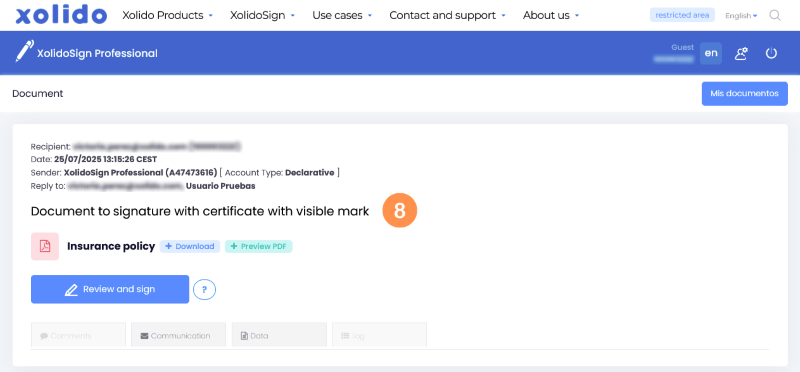
8. Perform the indicated operation.
XolidoSign Solutions


Xolido products
IT infrastructure and cloud services
About us