

FAQ XolidoSign
How to upload a document from my computer?
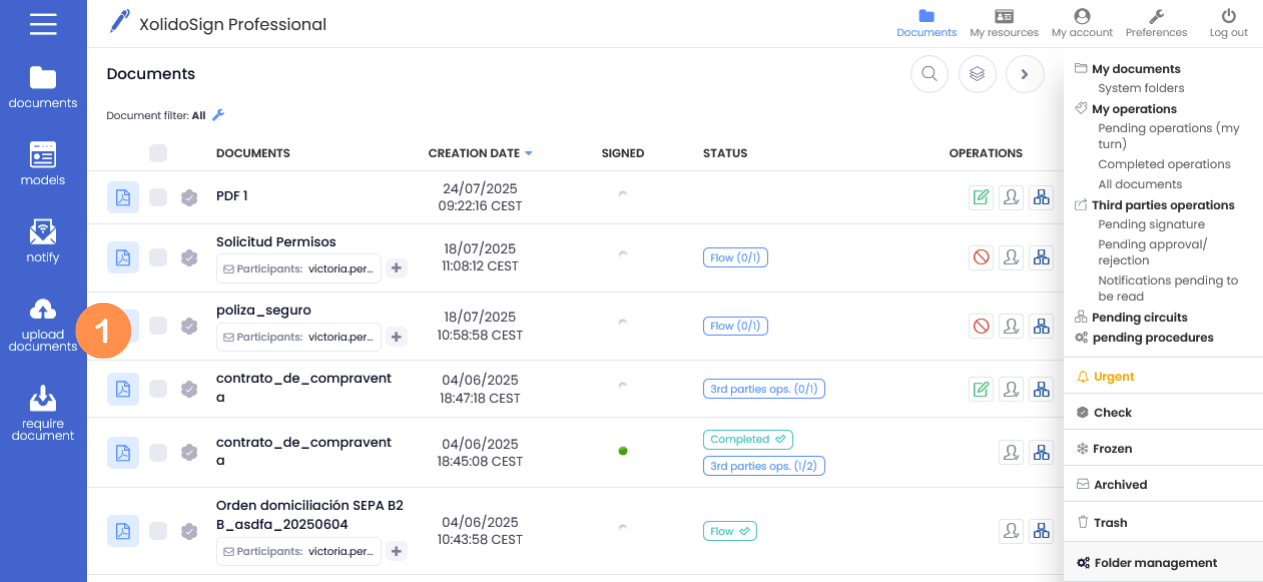
1. In the menu on the left click on “Upload documents”.
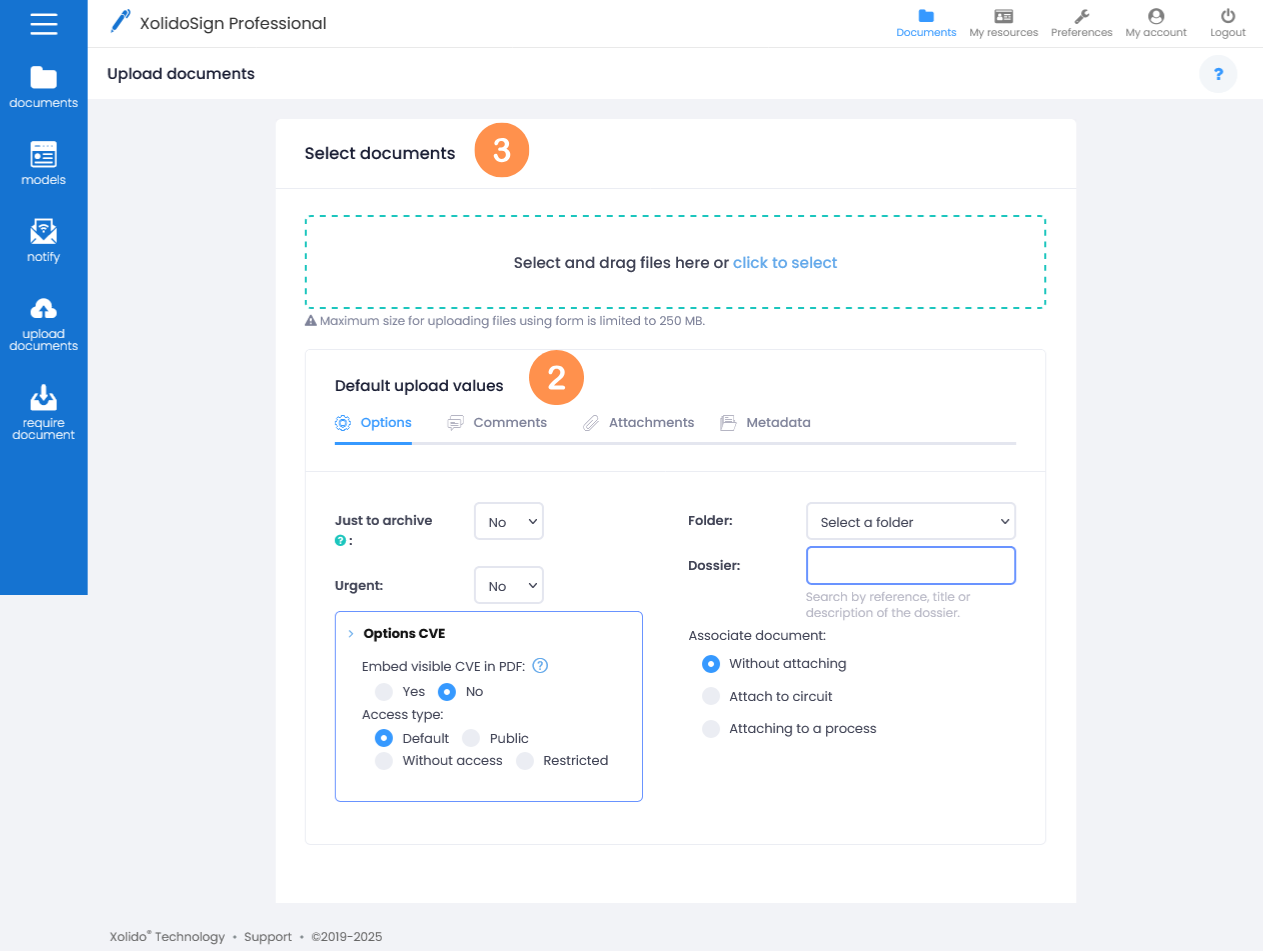
2. Before selecting the documents, set the upload defaults (these values are optional).
3. Then select the document(s) to be uploaded or drag the files to the dotted area.
The default upload values can also be configured once the files to be uploaded have been selected, but we would have to go one by one configuring the values for each of them, by clicking on the “Edit” button.
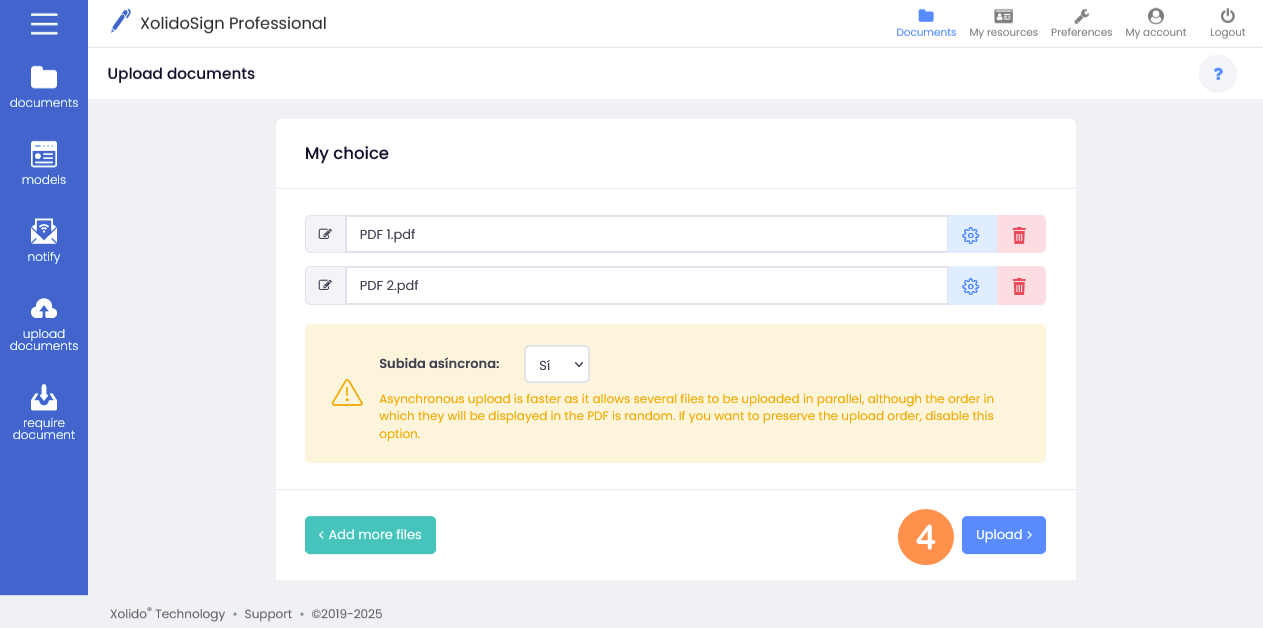
4. Once the documents have been selected, click on the "Upload" button.
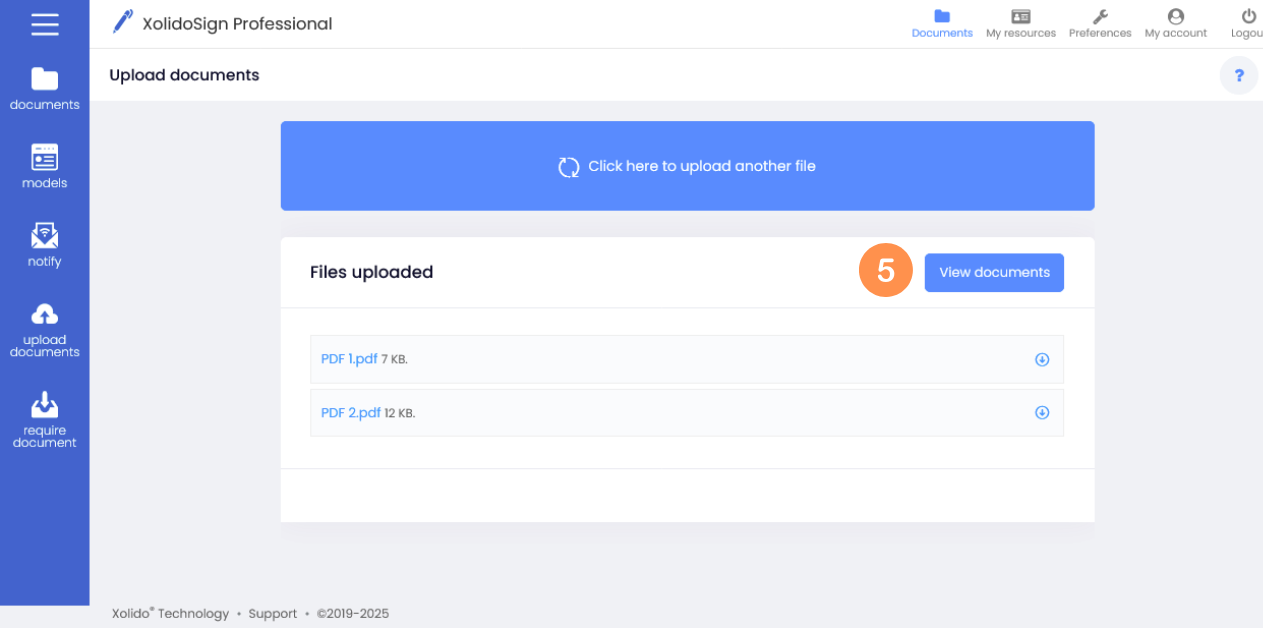
5. You will find the documents uploaded correctly in the list of documents. To access it click the “View documents” button.
- Watch video -
XolidoSign Solutions


Xolido products
IT infrastructure and cloud services
About us