

FAQ XolidoSign
How to generate a PDF document from a template?
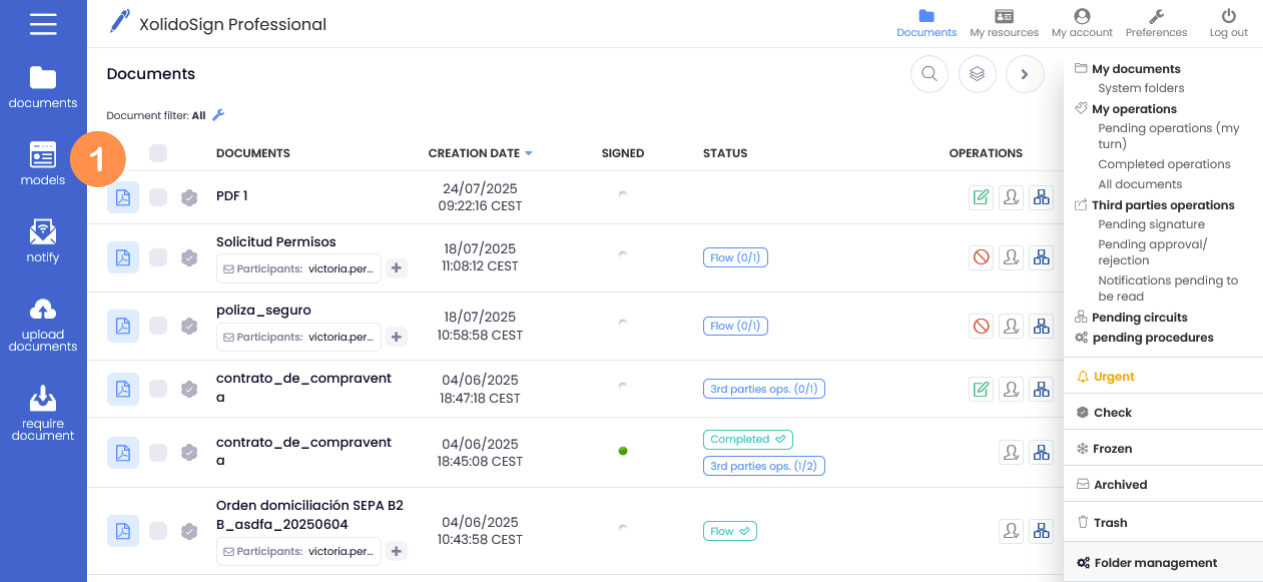
1. In the menu on the left, click on “Models”.
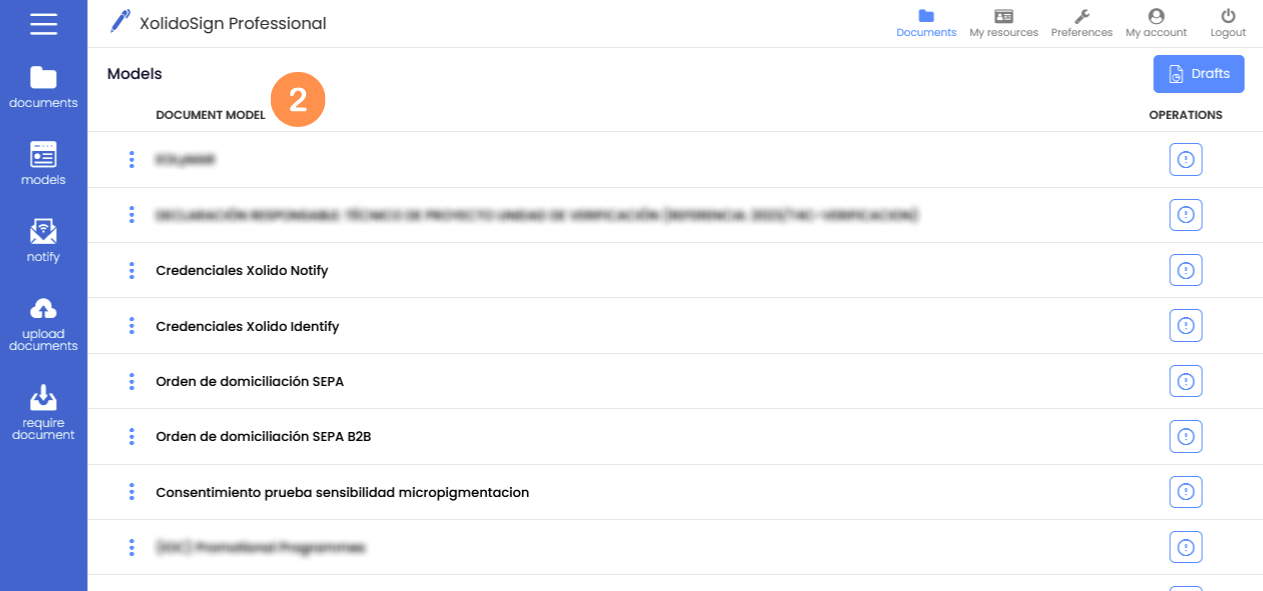
2. Click on the type of document you want to create.
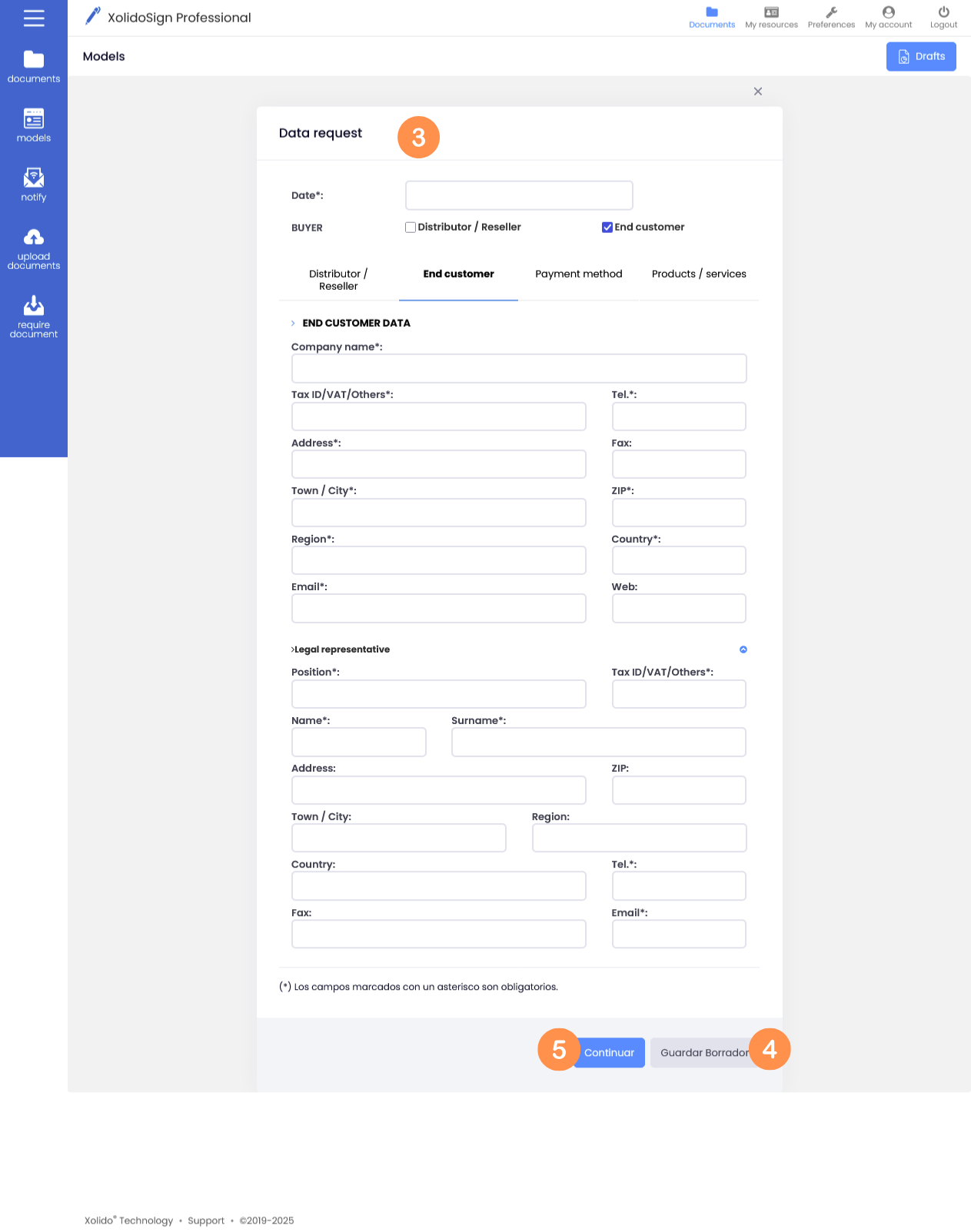
3. Fill in the model of your choice.
4. Once completed and before generating the document, you can save it as a draft to preview the document by clicking on “Save draft”.
To preview the document click on “Draft PDF”. The draft can be modified as many times as you want, if you make changes to the draft remember to save the changes by clicking on “Save draft”.
5. When you have finished editing the document click on “Continue” to generate the PDF document. The generated document will appear in the document list, to view the generated document click on the PDF icon.
XolidoSign Solutions


Xolido products
IT infrastructure and cloud services
About us