

FAQ XolidoSign
I want a PDF document to be signed by several people. Is this possible? How can this be done?
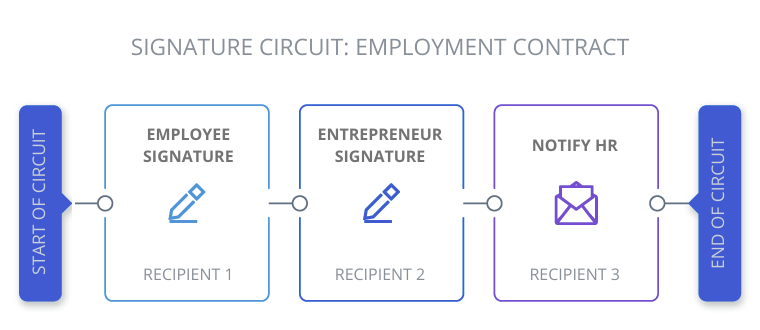
With XolidoSign Professional you can create signature loops and request signatures, all within the same workflow.
To do this, once the document has been uploaded to the platform, you must create a signature circuit by adding as many recipients as there are people who need to sign the document.
For each recipient, you can add the visible position of the signature and the order in which it will appear in the circuit.
As recipients sign the document, the circuit will move on to the next participant in the established order.
From the platform, you can monitor the status of the circuit in real time at all times, as well as send reminders if necessary.
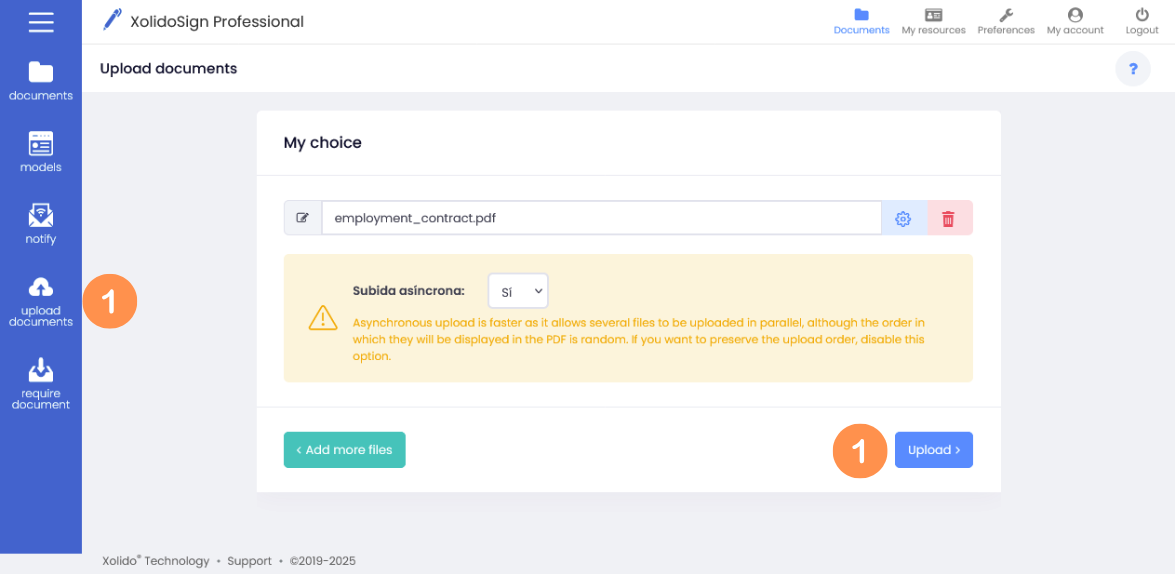
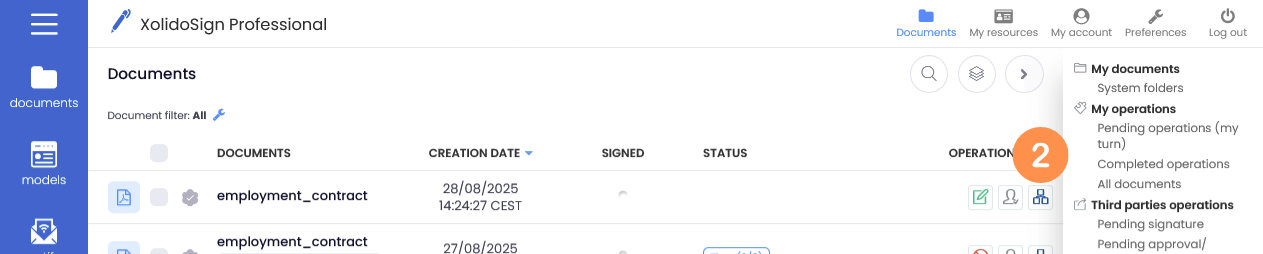
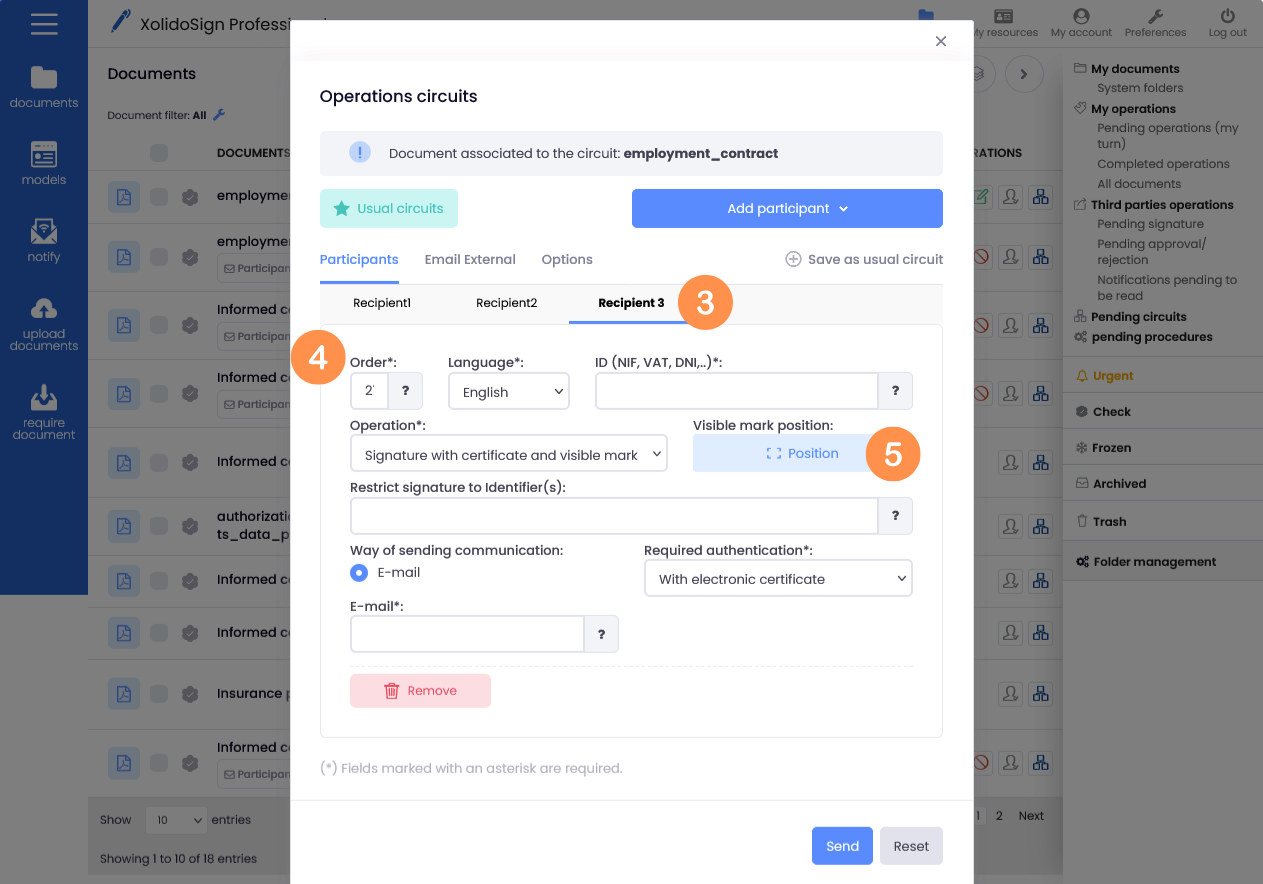
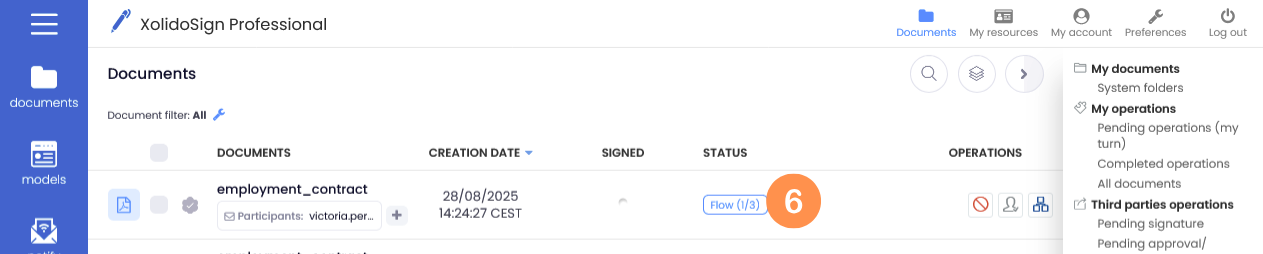
Steps to follow:
1. We upload the document to the Platform.
2. We created a signature circuit.
3. We add as many recipients as there are people who need to sign the document.
4. For each recipient, indicate the order in which they will participate in the circuit.
5. For each recipient, add the visible position of the signature.
6. Real-time monitoring of circuit status.
XolidoSign Solutions


Xolido products
IT infrastructure and cloud services
About us